
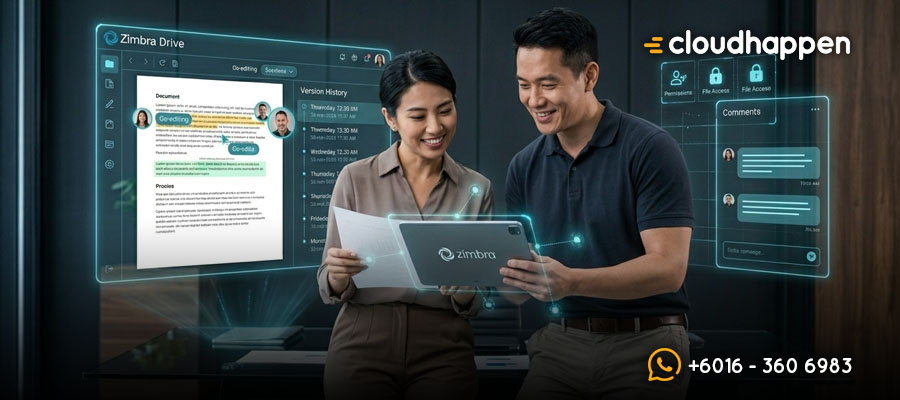
Why Effortless File Sharing with Zimbra Drive Boosts Corporate Efficiency
What is Zimbra Drive?
Deploying a secure zimbra drive setup allows your organization to store, share, and collaborate on files and documents directly within a unified ecosystem. It is a cloud-based file storage and sharing solution that is deeply integrated with the rest of the Zimbra Collaboration Suite. With this technology, corporate users can easily upload assets, track version control, manage access permissions, and sync data seamlessly between local folders and the cloud for offline productivity.
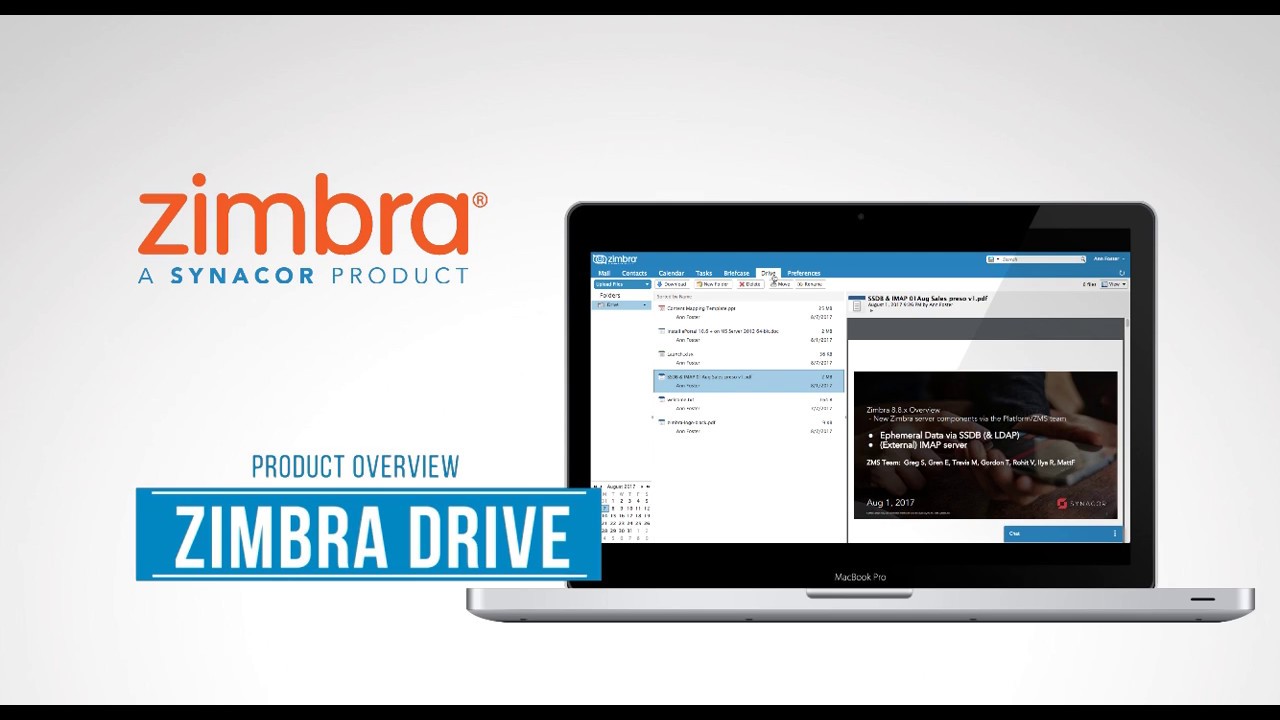
The Core Mechanics / Framework
The system replaces legacy file solutions (like the old Zimbra “Briefcase”) with a modern, responsive framework. Its architectural layout breaks down into these critical integrations:
- Zimbra Mail & Calendar Integration: Users can instantly attach cloud-stored documents to outbound emails and map shared file links directly inside calendar invitations without leaving the web client.
- Zimbra Tasks & Contacts Integration: This allows operations teams to link specific assets directly to to-do lists while maintaining collaborative asset histories tied to corporate contact profiles.
- Directory Services Synchronization: The platform syncs seamlessly with existing corporate directory infrastructures like LDAP and Active Directory to deploy Single Sign-On (SSO) and centralize user privilege management.
- Cross-Platform Office Suite Compatibility: The storage framework natively connects with productivity tools such as Microsoft Office, LibreOffice, and Zimbra Docs, allowing users to open, modify, and save enterprise files instantly.
- Third-Party Cloud Extension: Organizations can extend their storage footprint by connecting the core architecture to external nodes like Google Drive and Dropbox through extensible Zimlet frameworks.
Why This Matters to Malaysian Corporations
1. Absolute Alignment with Malaysia’s PDPA Compliance
Data sovereignty is a critical legal requirement for modern businesses. When you host zimbra drive with local providers, your critical corporate assets remain stored within national borders. This localized data residency safeguards your company from foreign compliance complications and aligns directly with Malaysia’s Personal Data Protection Act (PDPA).
2. Eliminating Security Fragmentation and Ransomware Risks
Fragmented storage solutions create massive vulnerabilities for corporate IT networks. Utilizing a centralized zimbra drive infrastructure ensures that all corporate communications, document edits, and data transfers happen within a highly secure, private cloud environment. This centralized architecture lowers exposure to external web vulnerabilities and significantly reduces the risk of data loss or ransomware attacks.
3. Maximizing Strategic Cost Control and Operational Scalability
Proprietary public cloud storage platforms often burden scaling organizations with unpredictable, compounding user licensing fees. An open-core enterprise solution allows businesses to optimize operational budgets by paying exclusively for the storage modules and compute features they actually use. This strategic flexibility prevents strict vendor lock-in while providing smooth, enterprise-grade scalability.
Secure Your Digital Estate with Cloudhappen
Protecting your operational data requires a trusted infrastructure partner who understands localized enterprise demands. Cloudhappen Global Sdn Bhd, operating from Kuala Lumpur, Malaysia, specializes in deploying, optimizing, and managing secure cloud environments. Whether your firm needs an optimized zimbra drive deployment, an on-premises upgrade, or a seamless migration to hybrid platforms like Microsoft 365 (M365), our engineering team ensures zero downtime. Contact our corporate office in Malaysia today to future-proof your organization’s digital workflow.
Frequently Asked Questions (FAQ)
Can team members access files offline using Zimbra Drive?
Yes. The system supports full mobile synchronization and local folder syncing, which allows users to securely access, view, and prepare documents offline before automatically syncing changes when an internet connection is re-established.
How does this system replace the old Zimbra Briefcase tool?
It serves as a modern, reactive replacement built on updated code. It introduces advanced user permissions, granular file versioning, document commenting, and direct pairing with multi-author tools like Zimbra Docs.
Can it be integrated with Active Directory for employee access management?
Yes. The infrastructure fully supports native integration with corporate directory services including LDAP and Active Directory, enabling automated user provisioning and Single Sign-On (SSO) safety protocols.
Overview
Zimbra Drive is a feature of the Zimbra Collaboration Suite that allows users to store, share, and collaborate on files and documents. It is a cloud-based file storage and sharing solution that is integrated with the rest of the Zimbra Suite. With Zimbra Drive, users can upload, store, and share files, such as documents, images, and videos, and collaborate on them with other users. It also allows for version control and commenting on files, and users can set permissions for who can view and edit files. Additionally, it allows users to access their files from anywhere with an internet connection and it can be synced with local folders for offline access. It also integrates with the other features of the Zimbra Suite, such as the email and calendar, so users can easily attach files from Zimbra Drive to emails or schedule events with links to shared files.
A Zimbra Zimlet is a small software add-on or extension. It allows your Zimbra Webmail system to connect and talk to third-party software applications. Think of a Zimlet like a plugin for your smartphone. By adding a Zimlet, you can unlock new tools, automate tasks, and complete extra work without ever leaving your main email screen.
For many businesses, shifting between different browser tabs to check a map, track a package, or schedule a calendar invite wastes valuable time. Zimlets solve this problem. They create a “mash-up” of your favorite work tools directly inside your email user interface.
By default Zimbra Zimlets is available out of the box deployment and pre-defined, such as:
- Dropbox
- Slack
- Nextcloud
- Zoom
- Jitsi
Features and Integration
Zimbra Drive can be integrated with other features and tools to provide a seamless user experience and improve collaboration. Some of the integrations available in Zimbra Drive include:
Zimbra Mail: Zimbra Drive can be integrated with Zimbra Mail, allowing users to attach files from Zimbra Drive to emails, and access their email attachments directly from Zimbra Drive.
Zimbra Calendar: Zimbra Drive can be integrated with Zimbra Calendar, allowing users to attach files from Zimbra Drive to calendar events and schedule meetings with links to shared files.
Zimbra Tasks: Zimbra Drive can be integrated with Zimbra Tasks, allowing users to attach files from Zimbra Drive to tasks and to-do lists.
Zimbra Contacts: Zimbra Drive can be integrated with Zimbra Contacts, allowing users to store and share contact information for individuals and organizations.
Mobile synchronization: Zimbra Drive can be integrated with mobile devices, allowing users to access and collaborate on their files from their mobile devices.
LDAP and Active Directory: Zimbra Drive can be integrated with existing directory services, such as LDAP and Active Directory, to provide single sign-on and user management capabilities.
Third-Party Applications: Zimbra Drive also can be integrated with other third-party applications such as Google Drive,Dropbox and etc.
Office Suite : Zimbra Drive also can be integrated with Office Suite like Microsoft Office and Libreoffice to open, edit and save documents.

Author