

The Ugly Truth Behind Your Microsoft Outlook App Setup
If U r running your daily company communication through a Microsoft Outlook app on your desktop, U might be sitting on a massive structural misunderstanding. Many Malaysian bosses call our helpdesk screaming that their email is completely dead, completely blaming Microsoft for a spinning yellow error icon.
But here is the hard truth first: Outlook is not your email provider. Read on to find out why your manual server setups r constantly breaking, because the single most important diagnostic trick U can use to save your IT department hours of hair-pulling frustration is waiting for U at the end of this article.
The Kopitiam Connection Crisis
Encik Amran is sitting at his favorite Puchong kopitiam. The char kway teow in front of him is getting cold.
He isn’t eating because he is staring at the bottom right corner of his laptop screen. A tiny, mocking yellow triangle has just appeared over his Microsoft Outlook app icon.
The status bar reads: Disconnected. Or worse: Trying to connect…He hits refresh. Nothing. He closes the app and reopens it. Still dead. His phone starts buzzing in his hand – it’s an angry WhatsApp message from his biggest client in Klang asking why the project updates haven’t arrived yet.
Encik Amran slams his laptop shut, sighs heavily, and grumbles: “Aiya, this Microsoft software is absolute rubbish.”
POV: Encik Amran just made the most common tech mistake in the Malaysian SME ecosystem. He is about to waste the next three hours fighting a losing battle against his own computer.

Twisting the Knife: Outlook Is NOT Your Email
Let me drop a major truth bomb on U right now, IMHO: Outlook is not your email. Let me repeat that so it sinks in.Thinking your Microsoft Outlook app is your email provider is like thinking your car’s rearview mirror is the actual engine.
Gmail is an email provider. Yahoo is an email provider.
But Outlook? Outlook is just a shell, a 3rd party software. It is a beautiful, premium, RM480 piece of mirror software designed to read and display data. If U hook up a high-end software mirror to a cheap, unstable RM19 legacy shared hosting server, the mirror is going to crack.
When Outlook spins and freezes, it isn’t Microsoft’s fault.It is because the cheap, outdated legacy pipeline U plugged it into has choked on its own spit again. Foreshadowing a bit here, but a permanent, unbreakable digital shield exists that eliminates this communication lag completely but most bosses r too busy chasing cheap fixes to notice.
The Nightmare of Manual Setup: Ports, Protocols, and Pain
When U buy a cheap legacy webmail bundle, setting up your team’s computers is an absolute nightmare.
Because these old systems don’t have automatic cloud syncing, your IT guy (or U, if U don’t have a tech team) has to configure every single device completely by hand.
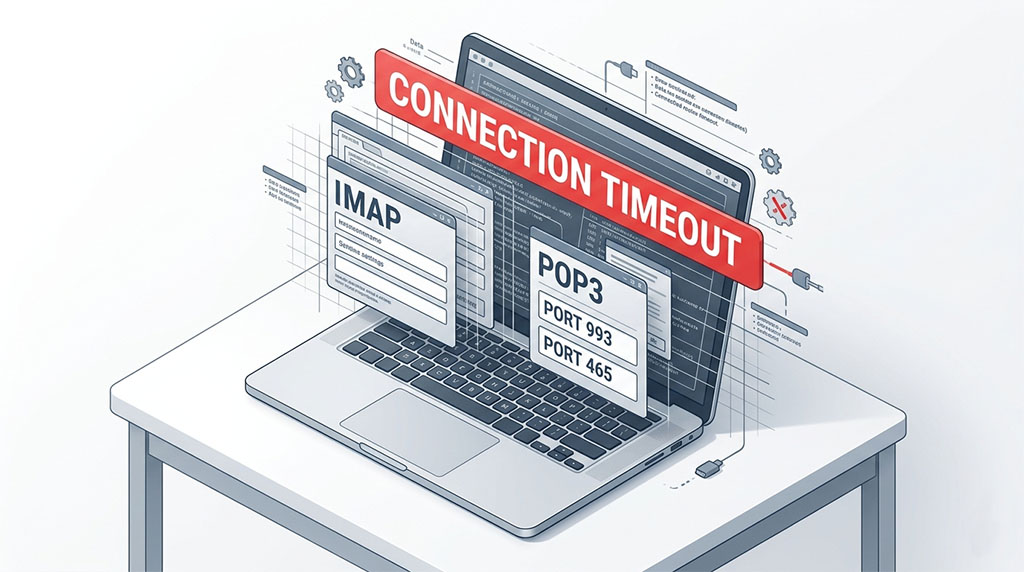
It is a manual protocol mess. U open the app and r instantly greeted by a wall of terrifying technical input boxes:
- Is it POP3 or IMAP? (Choose wrong and U wipe out your entire inbox history).
- What is the Incoming Mail Server? mail.yourdomain.com?
- What is the Outgoing SMTP Server?
- What r the port numbers? Is it $993$ for secure IMAP? Is it $465$ or $587$ for outgoing?
- Did U remember to check the box for SSL/TLS encryption?
Get just one single digit wrong, or miss one tiny hidden checkbox, and your entire connection breaks.
BTW, here is the kicker that local bosses hate to hear: If U do not pay your provider for managed desktop IT support, this manual device setup is 100% your own responsibility.
As an infrastructure hosting provider, our legal and operational job is strictly to ensure the main server engine is online and running. If our servers r humming perfectly at 100% uptime, but your staff member typed mial.domain.com instead of mail.domain.com inside their Outlook setup, that is a local user error.
U r paying your staff salaries to sit around twiddling their thumbs because of a typos typo.
The Local Analogy: The Overloaded Post Laju Counter
Let’s bring this down to street-level reality so U can see exactly why your legacy IMAP setup is failing U.
Imagine your business email system works like an old, rural Pos Laju dispatch office.
Every single time your Microsoft Outlook app wants to check for new messages, it sends a manual courier clerk from your laptop all the way down to that physical post office to ask: “Got mail for me or not?”
If U use an old IMAP protocol, that poor clerk has to manually sort through thousands of heavy envelopes, uncompressed PDF attachments, and junk mail folders one by one while your laptop waits.
If your staff has a massive 15GB inbox, that clerk is carrying an impossibly heavy backpack. Eventually, the connection times out.
The clerk gets exhausted, collapses on the side of the road, and your Outlook app throws up its hands and screams: Connection to server lost. U r trying to run a fast-paced modern enterprise on a data protocol that was literally invented in the 1980s. It’s a total bottleneck.
Enter Kim’s Golden Rule: Webmail First, Dear!
The next time your staff comes running into your office crying that their email is down, I want U to stop everything and enforce Kim’s Golden Diagnostic Test:
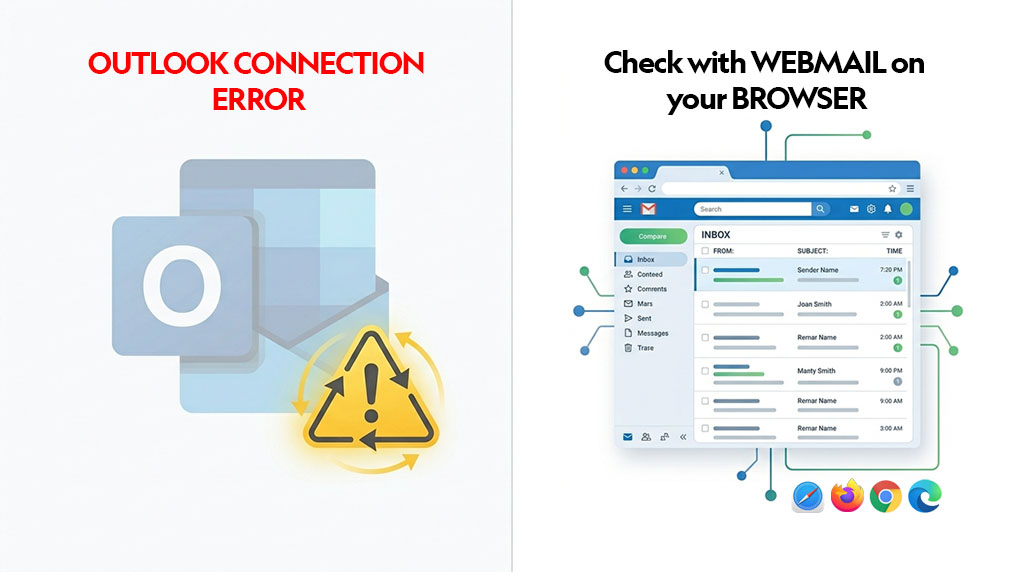
Always log into your Webmail browser first.
Open Google Chrome or Safari, type in your webmail URL (like webmail.yourdomain.com), and try to log in directly through the browser.
TL;DR: This is the ultimate moment of truth.
- Scenario A: If U log into webmail and see all your messages sitting there perfectly, guess what? The server is 100% healthy. Your host is doing their job. The real culprit is a corrupted file, a broken port setting, or an IP block inside your local Microsoft Outlook app configuration.
- Scenario B: If the webmail browser link itself won’t load, then and only then do U have a legitimate server pipeline issue to report to your hosting helpdesk.
Teaching your team this one simple habit will save U weeks of unnecessary panic and stop U from picking fights with the wrong tech support agents.
The Permanent Fix: True Cloud Integration
If U r tired of playing tech detective with ports, incoming servers, and manual device syncs, it is time to move to Microsoft 365 (M365).
When U migrate your communications to a real enterprise-grade cloud architecture, the old, clunky IMAP/POP3 protocol completely vanishes.
M365 doesn’t use manual couriers. It speaks a native, modern cloud language directly to your Microsoft Outlook app.
U don’t type in port numbers or incoming server links anymore. U just type in your email address and password, and the cloud instantly builds an unbreakable, fully synchronized, secure handshake across your laptop, your iPhone, and your tablet automatically.
Your calendars sync. Your contacts sync. Your data is protected by enterprise-grade armor.
Stop forcing your IT team to waste their valuable hours manually configuring $1990$s server ports. Upgrade the foundation so your team can focus on making money.
U don't type in port numbers or incoming server links anymore. U just type in your email address and password, and the cloud instantly builds an unbreakable, fully synchronized, secure handshake across your laptop, your iPhone, and your tablet automatically.
Your calendars sync. Your contacts sync. Your data is protected by enterprise-grade armor.
Stop forcing your IT team to waste their valuable hours manually configuring $1990$s server ports. Upgrade the foundation so your team can focus on making money.
Secure Your Digital Estate with Cloudhappen
Stop chasing connection errors and screaming at your desktop screen. Let my team handle your backend infrastructure migration so U can stop playing IT support and go back to running your business expansion. ttyl!
Are Your Local Devices Putting Your Data at Risk?
Don’t let a simple local configuration typo or an unpatched security port freeze your operations on a busy Monday morning. Take less than 2 minutes to evaluate your current setup and see if your company communications r truly stable.
[ 🩺 Start your Free Infrastructure Health Check Now ] [ 👩🏻💻 Prefer a Chat? Click Here to Talk to Kim ]
Moral of the Story (The Takeaway)
The Simple Business Lesson: Outlook is an executive tool, not an infrastructure provider. A premium app cannot fix a cheap, legacy backend. If U r unwilling to invest in a native cloud foundation like M365, U must accept the hidden operational tax of manual device configurations, constant local sync errors, and hours of self-managed IT troubleshooting.

Author
Kim (M365 Specialist)
Meet Kim, Cloudhappen's lead Digital Specialist. She has 15 years of hands-on infrastructure experience. Starting as a certified webmaster, she has successfully managed everything from custom VPS networks to advanced enterprise email security frameworks. Today, she functions as an approachable tech translator for local business owners - listening closely to their challenges & delivering direct, zero-jargon M365 solutions with prompt support.